
Automatic Differentiation


Requires a Wolfram Notebook System
Interact on desktop, mobile and cloud with the free Wolfram Player or other Wolfram Language products.
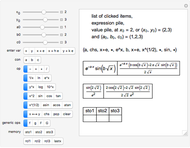
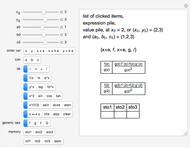
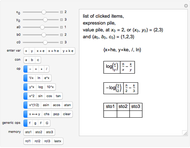
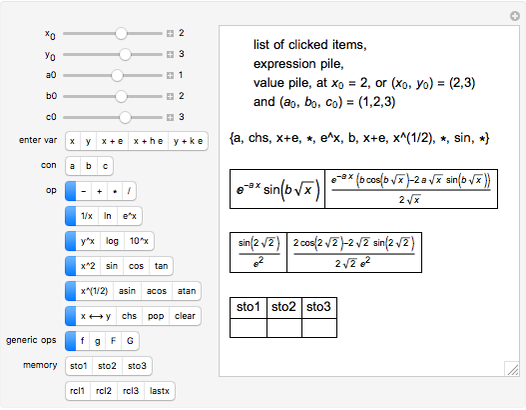
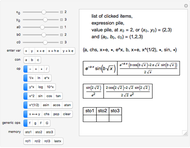
This is a dual number expression RPN (reverse Polish notation) calculator for automatic differentiation, modeled on an old-style scientific calculator. Dual numbers are numbers of the form  , where
  ,
,  are real and
  . (
. ( is displayed with
  and
and  in adjacent boxes. Use the calculator to calculate an arithmetic expression in
  and reals
  ,
,  , and
, and  ). Clicking a value puts the value on top of a pile. Clicking an "op" applies the "op" to the top member(s) of the pile as argument(s), and replaces them on the pile with its value. This is the RPN method of evaluation. The list of buttons clicked will be the reverse Polish notation for the expression. If the result is
  for a function
  , its value will be
  . Thus,
  is calculated "automatically". Moreover, this will be the result if
  is any function computable by the calculator. In fact,
  . It is as if
  were expanded in a Maclaurin series in
  , since
  .
.









Contributed by: Roger B. Kirchner (September 2009)
Open content licensed under CC BY-NC-SA
Snapshots
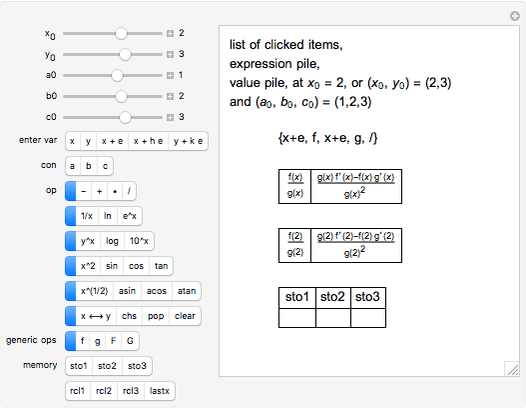
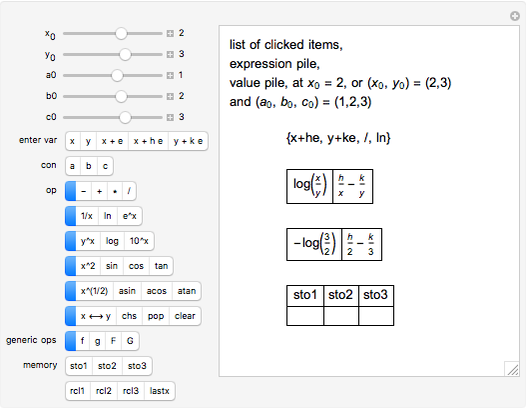
Details
The calculator works by extending built-in functions  of one or two real variables to duals by
  and
and  . The chain rule implies these relations hold for every computable function.
For example, if  and
and  , then
  .
.
In Dual Number (Wolfram MathWorld), a dual number is a number of the form  , where
  and
and  are real, and
  is a matrix such that
  , such as
Our calculator represents the dual number  as the expression
  , with operations defined by
 ,
,
 ,
,
 , which defines negation (
 ) and hence subtraction,
 for real
  , which defines reciprocal (
 ) and hence division,
 , for functions
  of one variable,
 for functions
  of two variables,
 .
.
These rules are implemented in Mathematica using "up values". With operations thus overloaded, the calculator is implemented as if it were defined only for reals.
References
[1] D. Piponi, "Automatic Differentiation". A Neighborhood of Infinity. (Jul 28, 2005) blog.sigfpe.com/2005/07/automatic-differentiation.html.
[2] L. B. Rall, "The Arithmetic of Differentiation," Mathematics Magazine, 59(5), 1986, pp. 275–282.
[3] R. D. Neidinger, "Automatic Differentiation and APL," The College Mathematics Journal, 20(3), 1989 pp. 238–251.
[4] R. D. Neidinger, "Introduction to Automatic Differentiation and MATLAB Obect Oriented Programming," SIAM Review, 52(3), 2010 pp. 545–563.
Also see the Wikipedia entries for Dual number and Automatic differentiation.
Permanent Citation
 Cyclic Functions under Differentiation
William Perry Differential of a Function
Izidor Hafner Total Differential of the First Order
Izidor Hafner Numerical Methods for Differential Equations
Edda Eich-Soellner Finite Difference Approximations of the First Derivative of a Function
Vincent Shatlock and Autar Kaw Using Sampled Data to Estimate Derivatives, Integrals, and Interpolated Values
Robert L. Brown Graphs of Taylor Polynomials
Abby Brown Solving the 1D Helmholtz Differential Equation Using Finite Differences
Nasser M. Abbasi An Ordinary Fractional Differential Equation
Jorge Gamaliel Frade Chávez Geometric Difference between a Finite Difference and a Differential
Anping Zeng (Sichuan Chemical Technical College)
-
 Bounce Time for a Bouncing Ball
Roger B. Kirchner -
 Generalizing the Crease Length Problem
Roger B. Kirchner -
 Exploring the Crease Length Problem
Roger B. Kirchner -
 Tin Box with Maximum Volume
Roger B. Kirchner -
 Automatic Differentiation
Roger B. Kirchner -
 Maximum Area Field with a Corner Wall
Roger B. Kirchner -
 Recursive Extended Euclidean Algorithm
Roger B. Kirchner -
 A Double Exponential Equation
Roger B. Kirchner -
 Limits of a Rational Function of Two Variables
Roger B. Kirchner -
 Median Theorem for Polygons
Roger B. Kirchner -
 Area of an Ellipse
Roger B. Kirchner -
 Swim, Swim and Walk, or Walk?
Roger B. Kirchner -
 Coconuts, Sailors, and a Monkey
Roger B. Kirchner -
 Pi-Like Ratios for Circular Lakes
Roger B. Kirchner